






 搜索
搜索
 搜索
搜索 导航
导航
首先,我们打开个人所得税App,点击下方菜单栏【我的】-【注册/登录】,可以看到有两种注册方式——“人脸识别认证注册”和“大厅注册码注册”。
First, open the Individual Income Tax App. Tap [Mine] at the bottom, then select [Register/Login]. You will see two options,“Register via Face Recognition” and “Register via Tax Office Registration Code”.
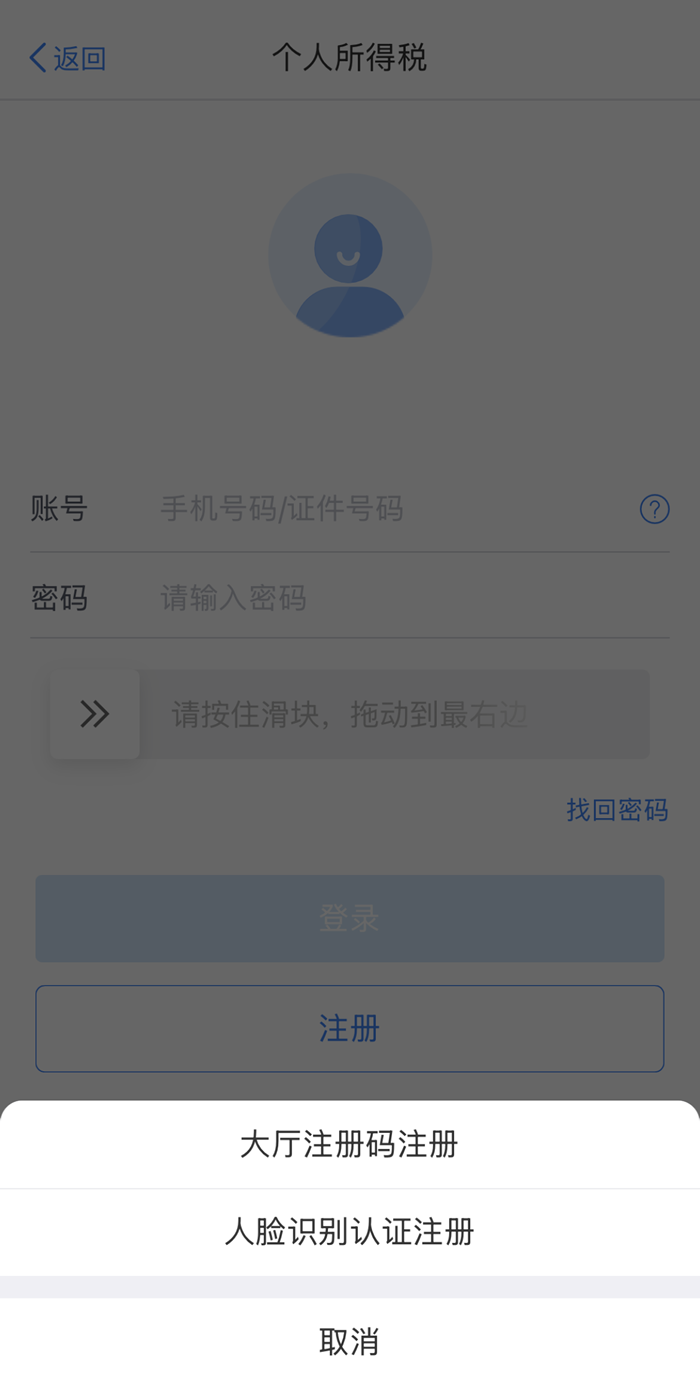
这时,我们需要先看看手里面拿的有效证件是什么类型。因为【人脸识别认证注册】目前只支持居民身份证、港澳居民来往内地通行证、台湾居民来往大陆通行证、中国护照、外国人永久居留身份证(外国人永久居留证)、中华人民共和国港澳居民居住证和中华人民共和国台湾居民居住证。
Now you may start by checking the type of valid ID document on hand. The [Register via Face Recognition] option only works with the following documents: ID Card, Mainland Travel Permit for Hong Kong and Macao Residents, Mainland Travel Permit for Taiwan Residents, Chinese Passport, Foreign Permanent Resident ID Card (Foreign Permanent Resident Card), Residence Permit for Hong Kong and Macao Residents, and Residence Permit for Taiwan Residents.
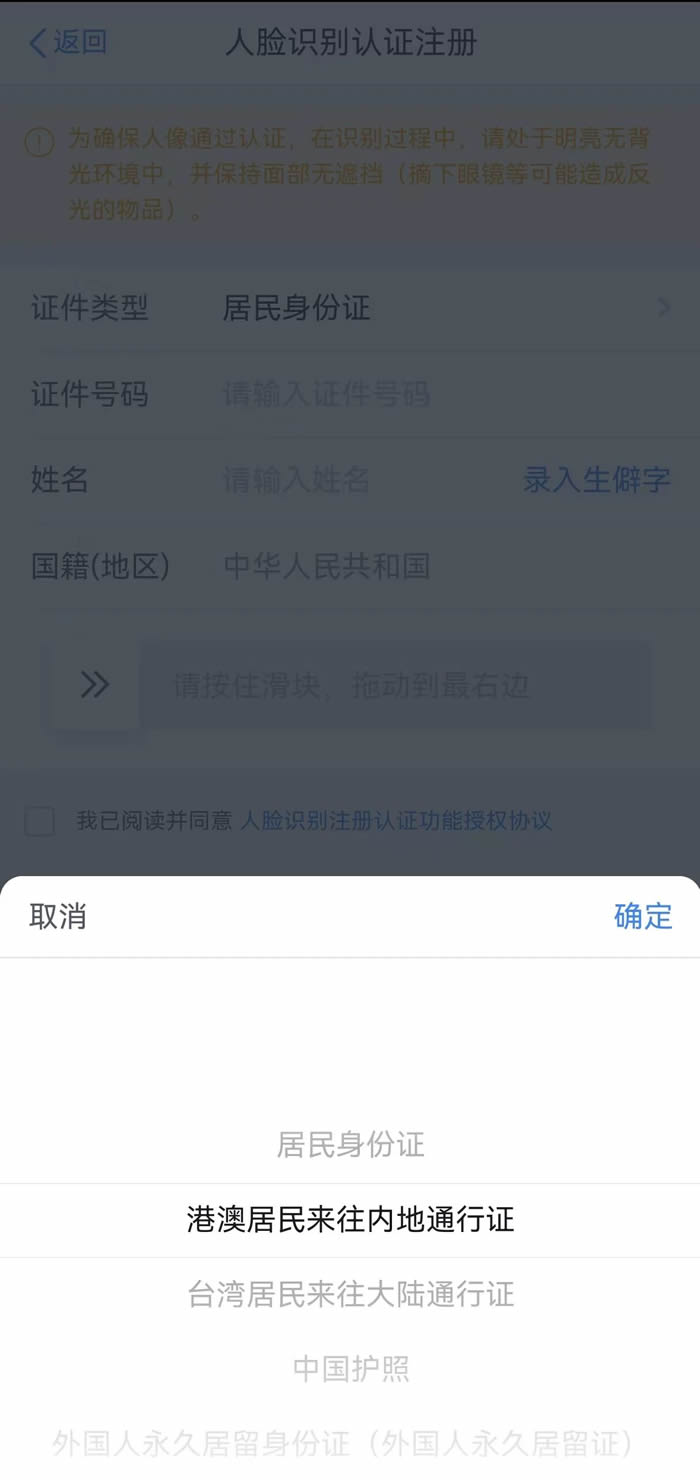
如果您手中持有以上证件之一,选择【人脸识别认证注册】,这时页面会出现“自然人电子税务局用户注册协议”,点击【同意】。
If your ID document type is listed above, select [Register via Face Recognition]. Then tap [Agree] on the "User Registration Agreement" page.
选择您持有的【证件类型】并正确填写证件号码、姓名、国籍(地区)等注册信息。
Choose your [ID Document Type] and enter the required details, including ID number, name, and nationality (region).
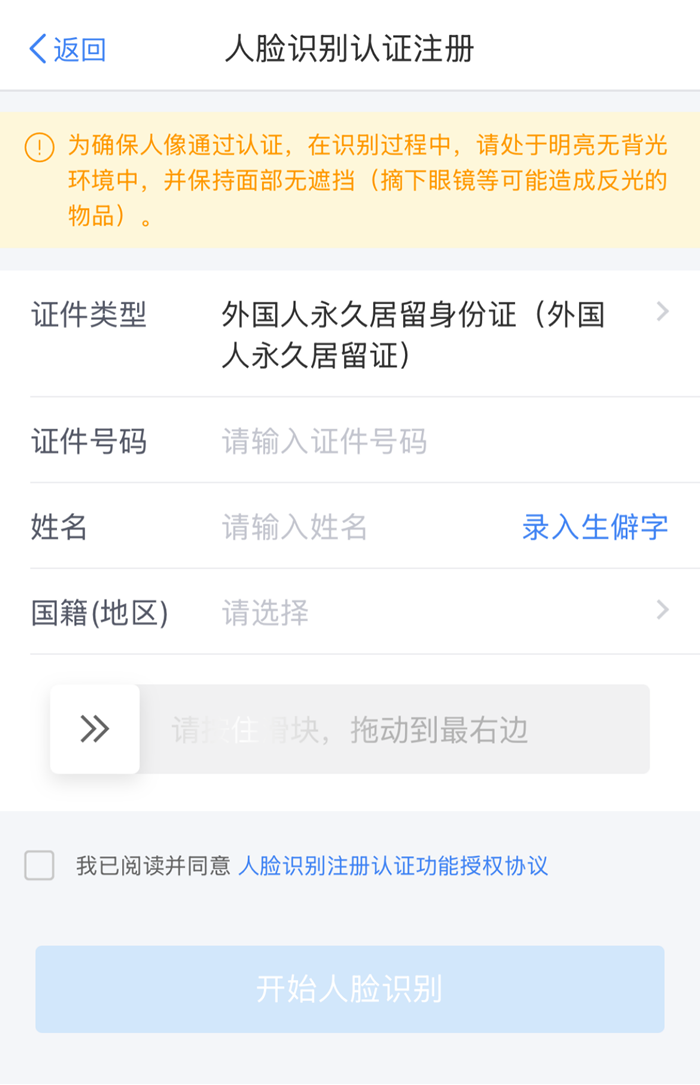
点击【开始人脸识别】,待完成人脸识别后,在“用户注册”页填写密码、手机号码,输入短信验证码,就完成注册啦!
Tap [Start Face Recognition]. After scanning, you will find the "User Registration" page. You can fill in your password and mobile number here, and then enter the SMS verification code to complete.
如果您手中没有以上类型的证件,就只能选择【大厅注册码注册】了哦。
If your ID document type is NOT listed above, you can turn to the [Register via Tax Office Registration Code] option.
【大厅注册码注册】需要您携带本人有效证件前往办税服务厅,工作人员会给您发放一个注册码。需要注意的是,拿到之后一定要在7天内通过个人所得税App中的【大厅注册码注册】进行认证。
In this case, please go to the tax service hall with your valid ID document, where you will be issued a registration code. The code is valid for the App within 7 days.
和【人脸识别认证注册】一样,选择【大厅注册码注册】后,我们会看到“自然人电子税务局用户注册协议”,点击【同意】。
Similar to [Register via Face Recognition], you will see the "User Registration" page after selecting [Register via Tax Office Registration Code], then tap [Agree] to continue.
填写大厅注册码,选择您持有的【证件类型】并正确填写证件号码、姓名、国籍(地区)等注册信息。
Enter the registration code, select your [ID Document Type], and fill in your ID number, name, and nationality (region).
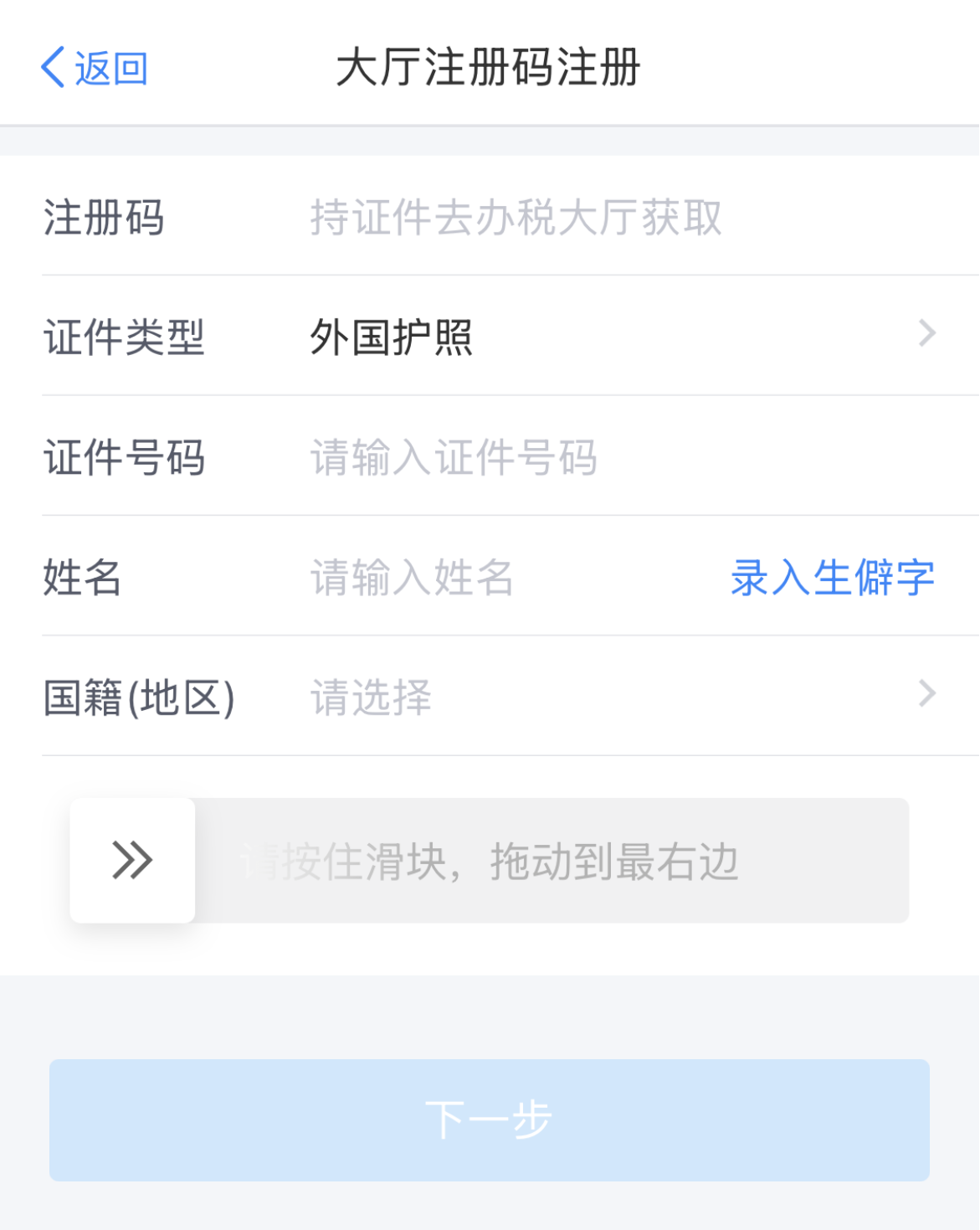
点击【下一步】,在“用户注册”页填写密码、手机号码,输入短信验证码,即完成注册啦!
Tap [Next]. On the "User Registration" page, fill in your password and mobile number, and then enter the SMS verification code. Now you are all set!

